

Microsoft released the latest Windows 11 Insider Preview build to the Dev channel last week. The new update brings two new artificial intelligence (AI) features to users. First is the introduction of AI agents in Windows 11, which can now autonomously find and execute changes in the Settings menu based on user prompts. The Redmond-based tech giant is also bringing an option to share the snapshots stored by Recall with third-party apps and websites in the European Economic Area (EEA).
Windows 11 to Get Its First AI Agents
In a blog post, Microsoft detailed the new features, among which the most notable is the introduction of AI agents. Currently, AI agents will only be available to those users who have opted in to the Windows Insider Programme and selected the Dev Channel as their preferred update channel. Additionally, they will also require a Snapdragon-powered Copilot+ PC to experience this feature.
With AI agents, users will be able to type the changes they want in the Settings menu, such as “my mouse pointer is too small,” and an AI agent will recommend the right steps to take to solve the issue. With the permission of the user, the agent can also autonomously execute the task, saving the user a few clicks. Microsoft said the new feature works only if the device’s primary display language is set to English. Support for Copilot+ PCs powered by AMD and Intel chipsets will be added soon.
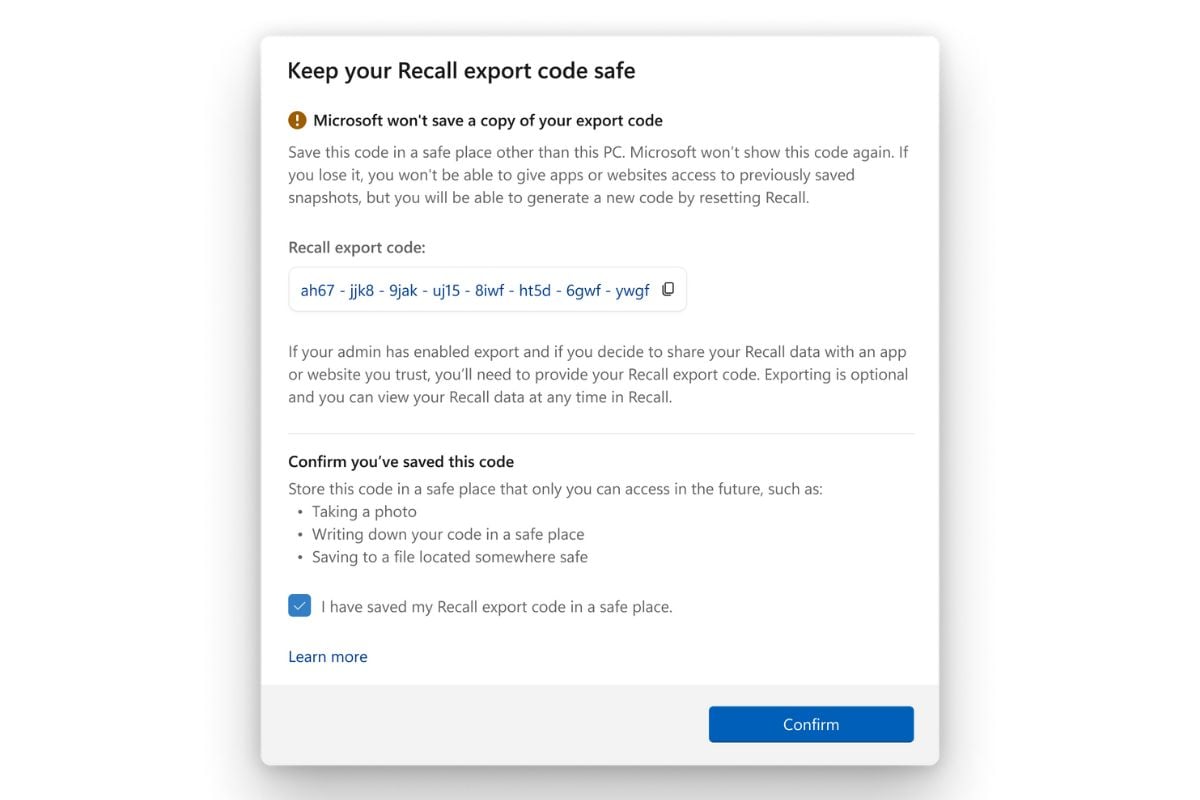
Recall export code in Windows 11
Photo Credit: Microsoft
Another new feature, available only to users in EEA, is the Recall sharing experience. Windows Insiders in the region can now export their Recall snapshots and share them with third-party apps and websites. To do this, users need to remember their unique Recall export code, which will be shown when they open Recall for the first time and opt for saving these screenshots.
When sharing the Recall snapshots with a third-party vendor, users will have to first authenticate via Windows Hello and then share the export code, which decrypts the encrypted screenshots. Do note, the export code is only shown once during the initial setup of the feature. “Microsoft does not have access to your export code and cannot help you recover it if it is lost,” the post added.
However, if a user has lost the export code or suspects someone might have unauthorised access to it, they can reset Recall. Resetting Recall will automatically delete all the screenshots as well as revert to the default settings for the feature. Then, users can open the feature to find a new export code after they opt in.
To export the snapshots, users need to go to Settings, then navigate to Privacy & Security and find Recall & Snapshots. From there, they will have to go to Advanced Settings and begin exporting the data after authentication. Currently, there are two options for sharing Recall data. First is “Export past snapshots,” which will let users export their data from either the last seven days, the last 30 days, or all past data. The second option is “Export snapshots from now on,” which enables continuous export of snapshots after they begin sharing. Users can turn off sharing at any time.