

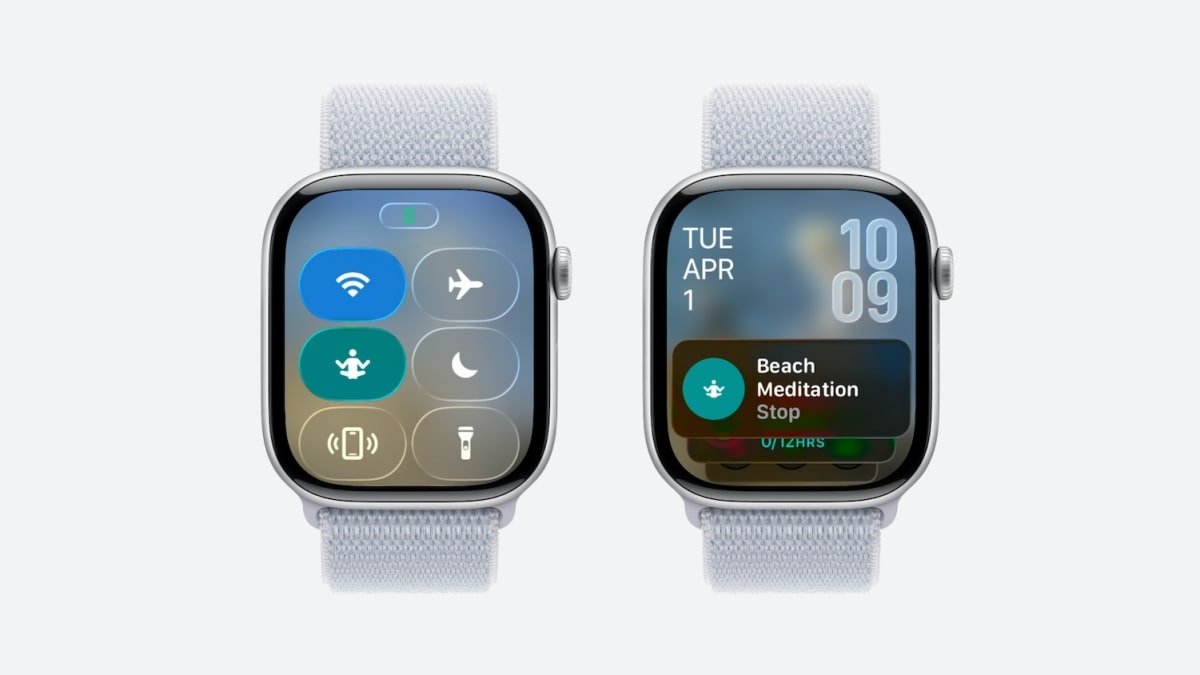
While watchOS 26 was introduced at WWDC 2025 with a fresh look and new features, some additions didn’t get any mentions. As more developers install the first developer beta and go through the tons of documentation for developing new app experiences around it, there are always some new features revealed in the process. The Apple Watch’s Control Center feature, accessible by pressing the side button (below the Digital Crown), only shows a fixed number of options like Wi-Fi, Silent mode, Do Not Disturb and a few others. That changes with watchOS 26, which will bring Custom Controls for the Control Center, just like it works on an iPhone.
As spotted by MacRumours, Apple’s current watchOS 26 developer beta is adding support for Custom Controls like it works on an iPhone or iPad. While Apple did mention it in the press release, we’re only now seeing how it’ll work. watchOS 26 beta offers a new Custom Controls API letting developers add, make and prepare their own customisable buttons or toggles to Control Center, which until now was a very rigid interface with preset options.
The addition of Custom Controls will let users modify their Control Panel’s interface to their liking. It will also let Apple Watch Ultra users assign custom controls to its Action Button. Developers can also push their app-specific custom controls to the Smart Stack as well, which will make them more accessible and useful.
The interface as per the developer page, looks very similar to the old one (with the inclusion of the Liquid Glass theme) but will now have some new control options or buttons showing up in customisation. The controls will have to be built using WidgetKit and will basically let users access in-app controls without opening their apps or even open their apps to a specific view or page like on iPhone.
Apple provides enough customisation for developers here by letting them add their custom symbol, tint for the button in Control Center and titles and labels in Smart Stack widgets.
Users can even add a Custom Control from their iPhone to their Apple Watch without the need to install the watchOS app locally on their watch. However, this only works if the app from the developer/service is installed on their iPhone. It also lets users save space on their Apple Watch’s local storage. Since the app is not stored on the Apple Watch, the action will be performed by the iPhone app.
Apple’s watchOS 26 also brings several new features announced at WWDC 2025, which you can read about here.